
The new WhatsApp Business fees can affect the budget of businesses that use the platform to answer requests, send order updates, confirm appointments or follow up with customers.
Since October 1, 2026, Meta charges for certain service messages and utility templates that could previously be sent for free under some conditions. But figuring out how to avoid extra WhatsApp costs doesn’t simply mean sending fewer messages.
It also means identifying what drives costs, taking advantage of the free conditions available, avoiding unnecessary messages and organizing your service to resolve each request efficiently.
How to avoid extra costs on WhatsApp?
Before changing your support processes, you need to identify where your costs really come from. Not all messages cost the same, and not all businesses use WhatsApp the same way. If you work with the WhatsApp Business API, review these aspects:
- Number of messages sent: with the October 2026 pricing change, service messages are charged after the first 1,000 free per month for each business number.
- Template category: marketing, utility and authentication messages have different fees depending on the recipient’s country.
- Repeated or fragmented messages: splitting a reply into several messages can increase the number of billed messages.
- Poorly designed automations: a bot that repeats questions or doesn’t resolve the request increases volume without improving service.
- Tool costs: besides Meta’s fees, factor in monthly subscriptions, integrations and services used.
The goal isn’t to cut conversations at all costs. You need to figure out which ones are necessary, which can be handled better and which add cost without adding value.
Which WhatsApp Business messages are free and which cost money?
Understanding how pricing works is one of the first steps. The rules below apply to the WhatsApp Business Platform and its API.
- Messages sent by customers. Receiving a message doesn’t incur any cost from Meta.How to use it: a clear first message that immediately identifies what the customer needs.
- The first 1,000 service messages per month. Per number. It doesn’t cover marketing campaigns or utility templates.How to use it: check usage for each line and group unnecessary messages.
- 72-hour click-to-WhatsApp window. If you follow Meta’s conditions, messages within the free window don’t incur costs.How to use it: prepare your team and automations before launching the campaign.
- WhatsApp Business app and API are not the same. The app is free and may be enough for low volumes without integrations.How to use it: choose based on team, assignments and follow-up, not just on fees.
Messages that may incur costs
| Category | Examples | Key facts |
|---|---|---|
| Service | Replies in the 24-hour window, no templates | Paid beyond the free monthly quota |
| Marketing | Promotions and sales campaigns | Fee based on the recipient’s country |
| Utility | Order updates, reminders | From Oct 2026, also in the 24-hour window |
| Authentication | Login and verification codes | Fee based on the recipient’s country |
How to avoid extra costs by type of business
Online stores or e-commerce
WhatsApp is used for questions about products, sizes, availability, delivery and payments, as well as for campaigns and cart recovery. The risk is treating every contact the same way.
What to do:
- Segment marketing messages by interest, history and behavior.
- Check which campaigns drive sales and which only drive conversations.
- Group order details together to avoid sending too many messages.
- Weigh the cost of cart recovery against the margin recovered.
An example. A shoe store launches a cart recovery campaign. Before sending reminders to everyone, it evaluates results by cart value, product type and response to previous campaigns.
“A shorter conversation isn’t always better. The one that resolves the issue without making the customer start over is the real improvement.”
Automation strategies to avoid extra costs
Automations and AI Agents can help answer requests, collect data and guide customers. But simply turning them on isn’t enough to cut costs: AI should be used where it helps resolve issues better or faster.
 Read alsoNew WhatsApp Business API Prices October 2026: Meta Fees and How to Manage Costs
How can Callbell help you avoid extra costs?
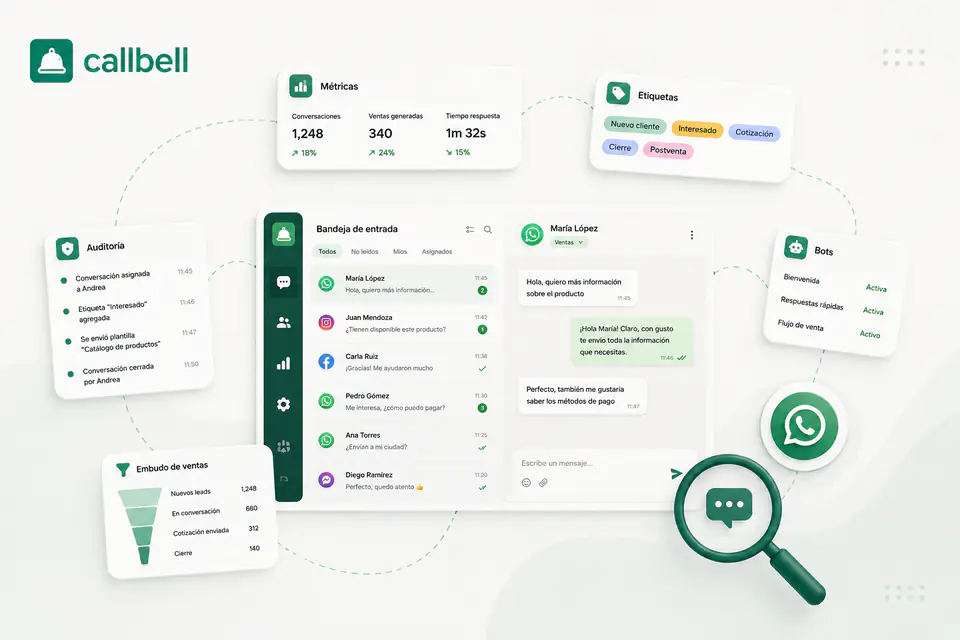
Callbell lets you combine a multi-agent inbox, automations, flows and AI Agents to organize support around the needs of each operation. These tools don’t eliminate Meta’s fees on their own: they help you organize conversations better, reduce inefficiencies and measure which processes justify the investment.
Conclusion
Meta’s new fees make it even more important to review how your business uses the WhatsApp Business Platform. But cutting costs doesn’t mean you stop replying or automate every conversation.
- Know what you’re paying for.
- Remove, group or automate unnecessary messages.
- Measure total cost and results.
 The authorAlan TrovòMarketing manager at Callbell, the platform that helps sales and support teams talk to customers via WhatsApp, Messenger, Telegram and Instagram Direct.

 Use Google