Indice
In today's article, we'd like to show you how to connect Callbell through Coexistence. This is a really quick and easy way to connect WhatsApp to Callbell via a QR code and API connection, while keeping your WhatsApp Business account operational.
Meta has developed and designed an innovative way to connect to the WhatsApp Business API without leaving the WhatsApp app: through Coexistence. This allows you to connect your business to the WhatsApp API while keeping WhatsApp Business on your mobile device.
With this brand new integration, you can enjoy the best of both worlds: advanced API capabilities through Callbell and the familiarity of the WhatsApp Business app directly on your smartphone.
Note: According to Meta's policies, WhatsApp Business Coexistence phone numbers are not supported in the following regions or countries: European Economic Area, European Union, United Kingdom, Australia, Japan, Nigeria, Philippines, Russia, South Korea, South Africa, and Turkey.
Callbell is a WhatsApp CRM that centralizes all communications from various instant messaging apps, such as WhatsApp, Instagram, Facebook, and Telegram. Furthermore, it is an excellent tool for businesses, thanks to its highly intuitive interface, team collaboration features, automation capabilities, and highly advanced statistics. It is certainly ideal for all sales and support teams who want to centralize conversations in a single place.
Featured features
- Multi-channel inbox.
- Automatic chat assignment by team or agent.
- Fully AI-powered chatbots (connected to OpenAI).
- Advanced performance statistics and team monitoring.
- Mobile app and web version.
- Broadcast messages on WhatsApp.
- Integrations with Pipedrive, HubSpot, Slack via Zapier, and much more.
As with any other WhatsApp API integration, you must first ensure that your business meets the mandatory requirements of the WhatsApp API.
You must also ensure that your WhatsApp Business app is version 2.24.17 or later.
Steps to connect your WhatsApp Business number
1. Log in to your Callbell account.
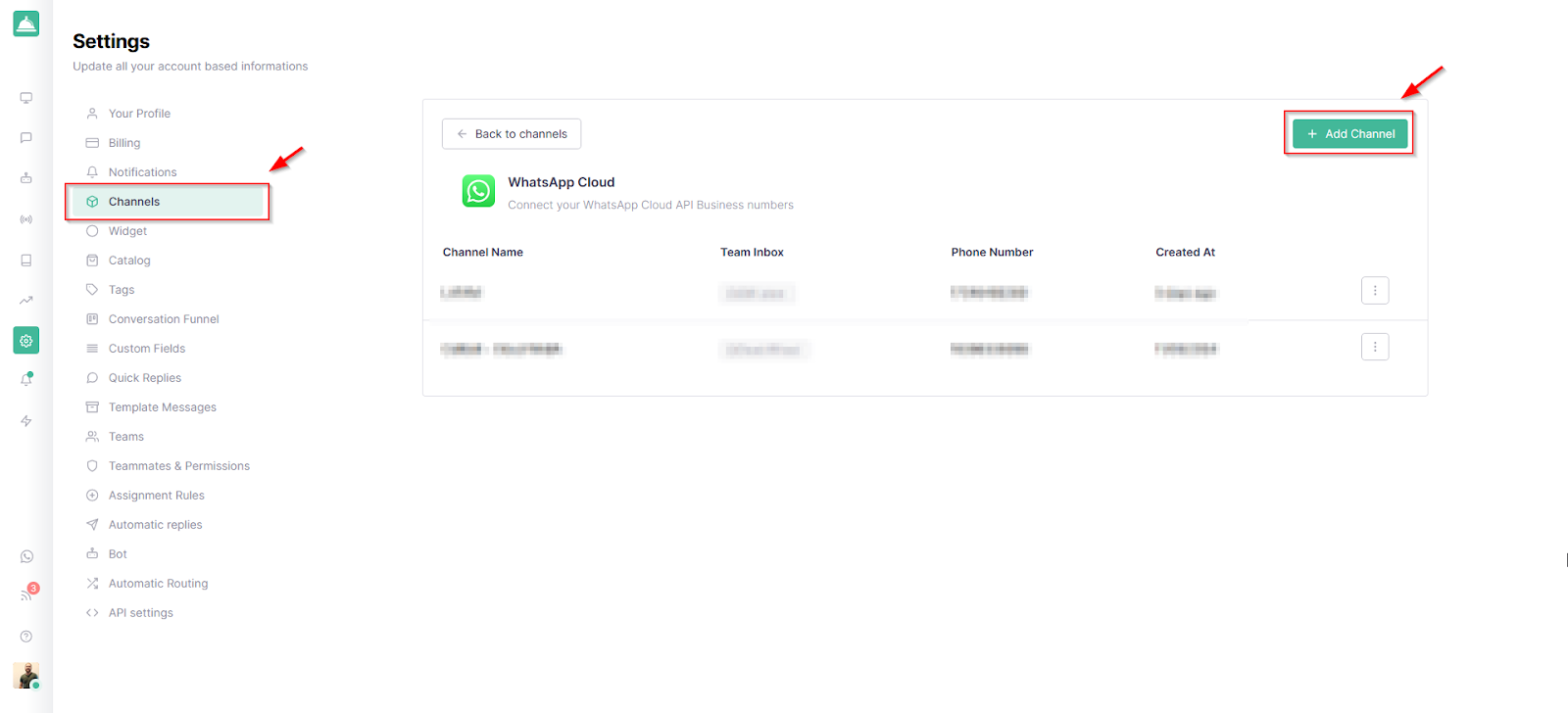
2. From the "Connect your channels" section, click "WhatsApp Cloud".
3. On the right, click "Add channel".
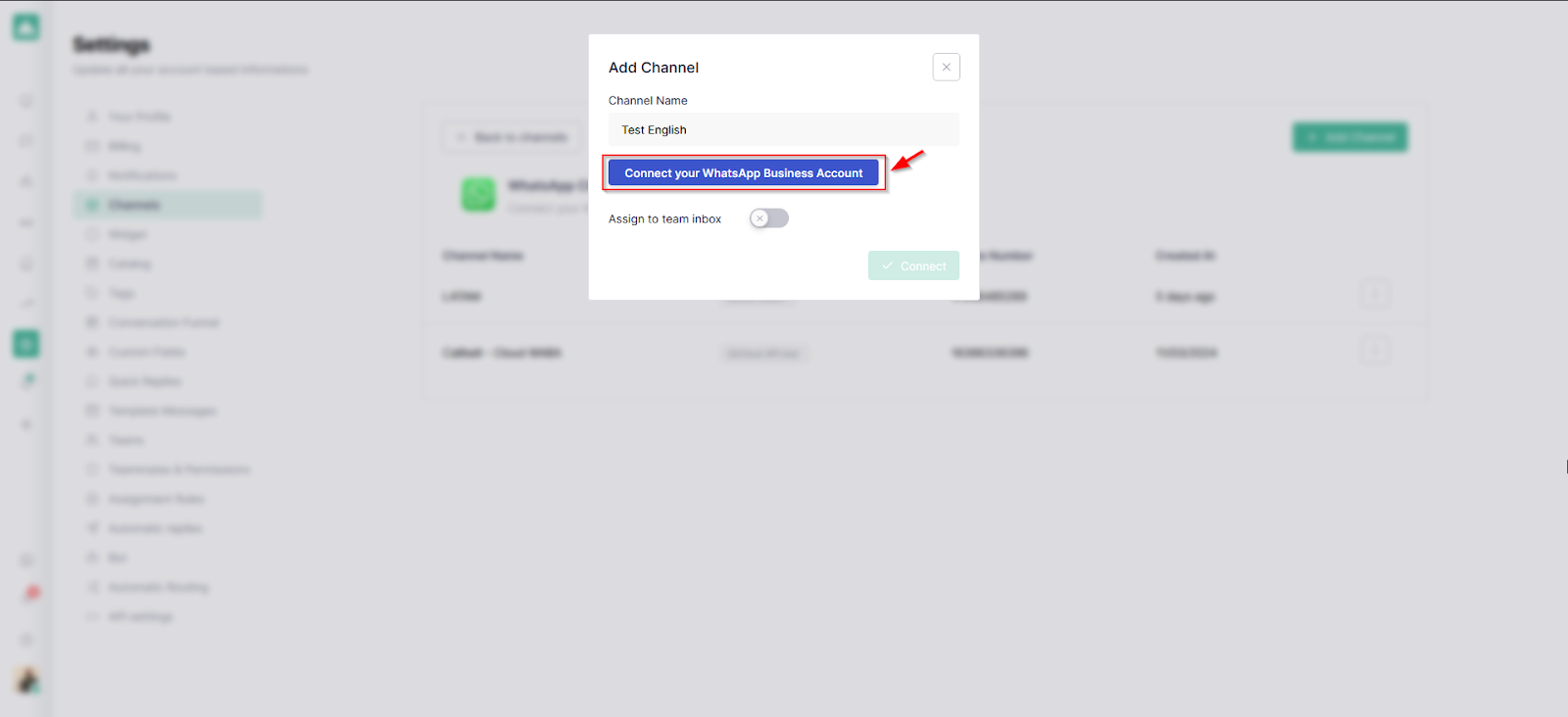
4. Choose a name for the channel, then click "Connect your WhatsApp Business account".
5. A pop-up window will appear. Log in with the Facebook account that has administrative access to your Meta Business account, then click "Get Started".
6. Select the Meta Business administrator you want to use, then click "Next".
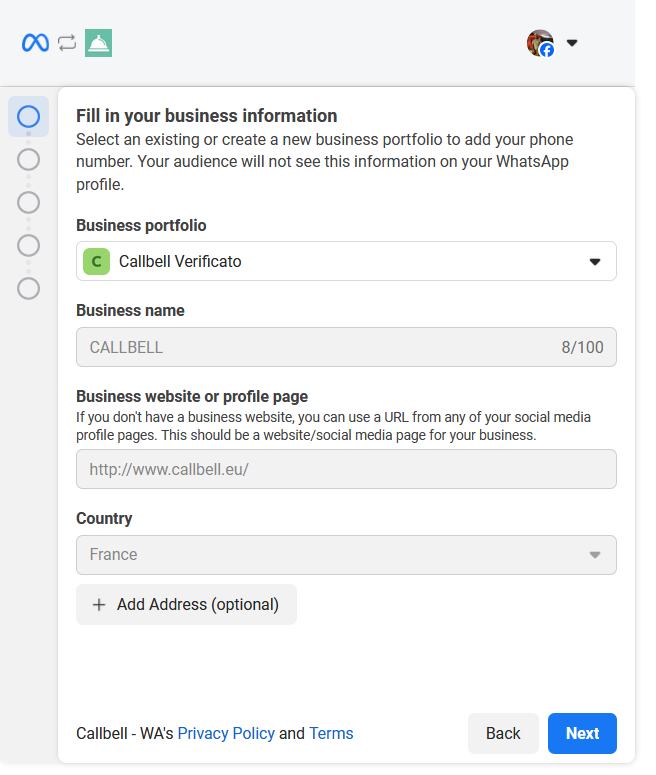
7. Now select the "Connect your existing WhatsApp Business app" option.
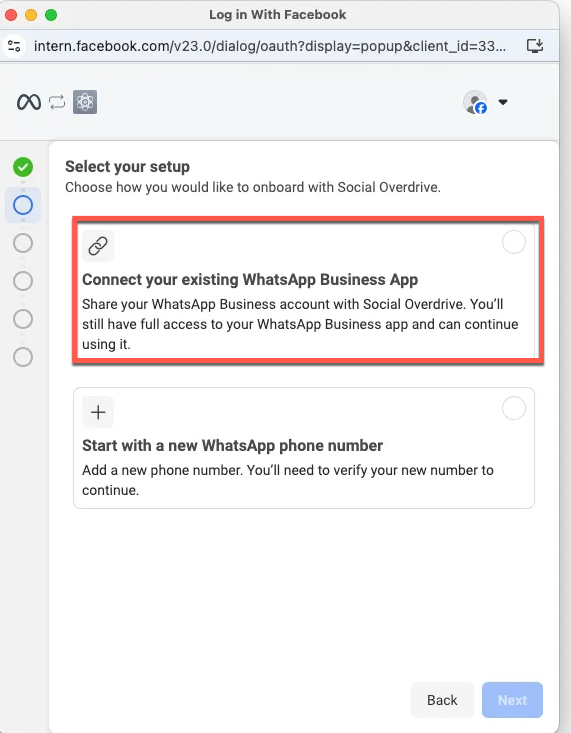
8. Enter your WhatsApp Business phone number with the country code.
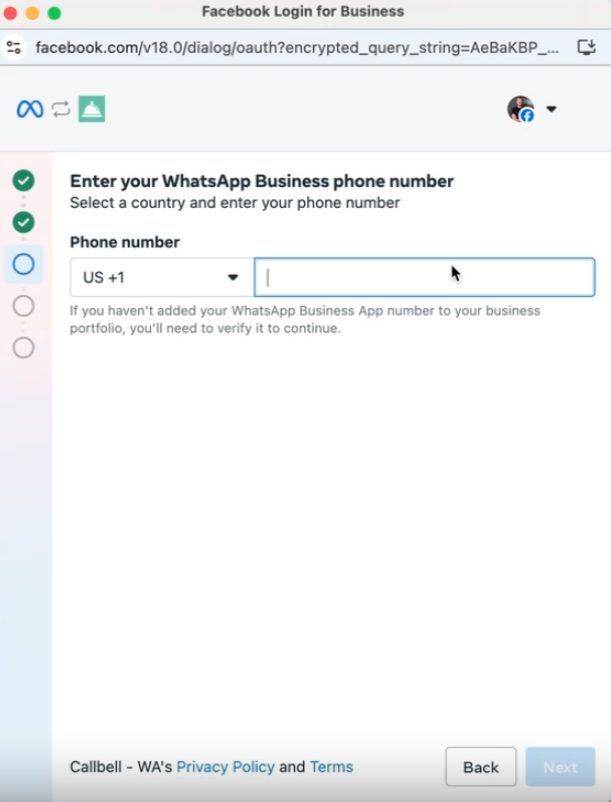
9. A QR code will appear. Scan it using the WhatsApp Business app:
10. Meta will send you a message. Open it and click "Scan QR Code".
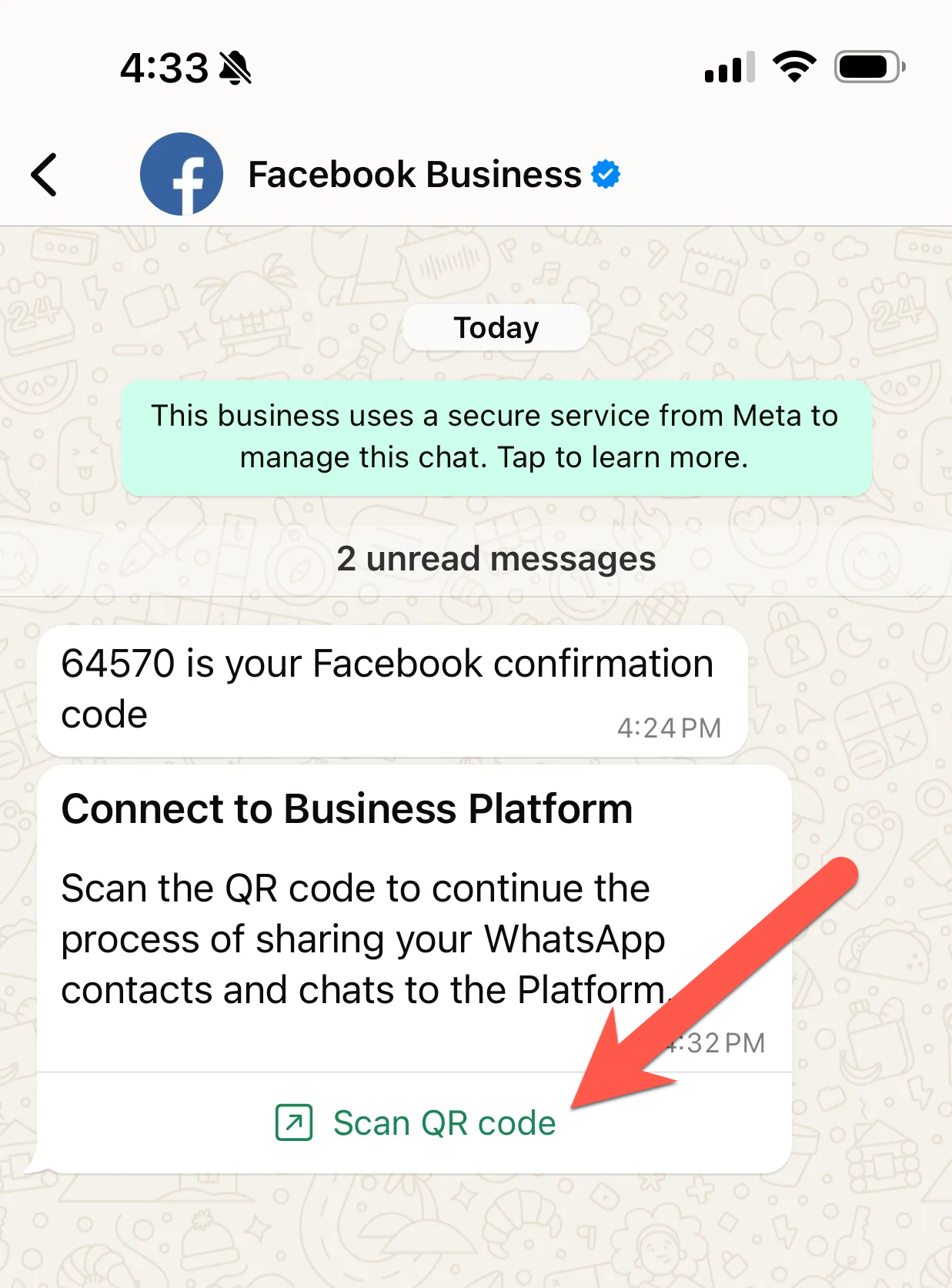
11. You'll then see a confirmation screen. Click "Scan QR Code". WhatsApp will ask you if you want to import your chat history directly to Callbell. Select your preferred method and then click "Confirm".
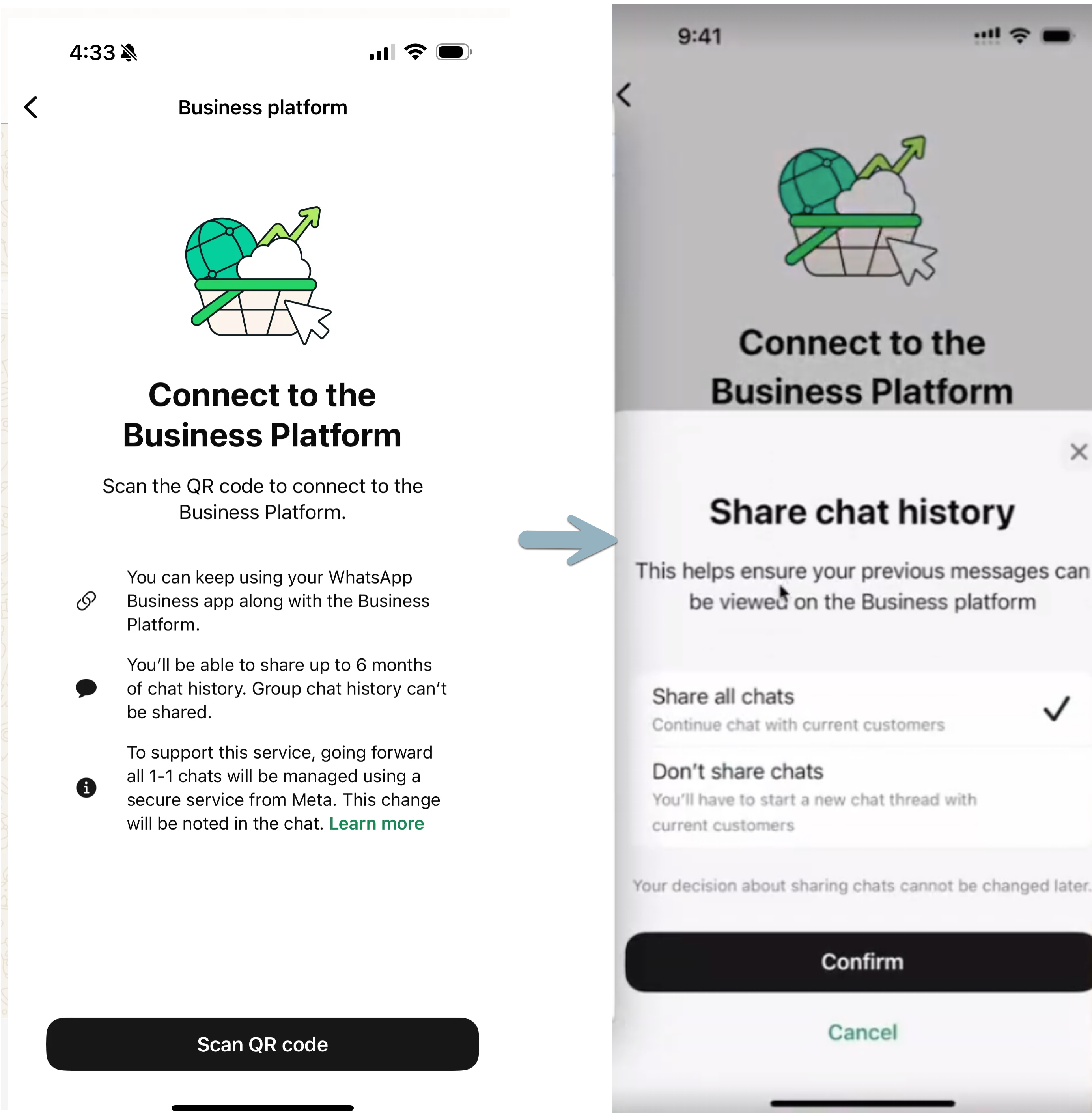
12. Finally, scan the QR code again and wait. This process can take up to 45 seconds.
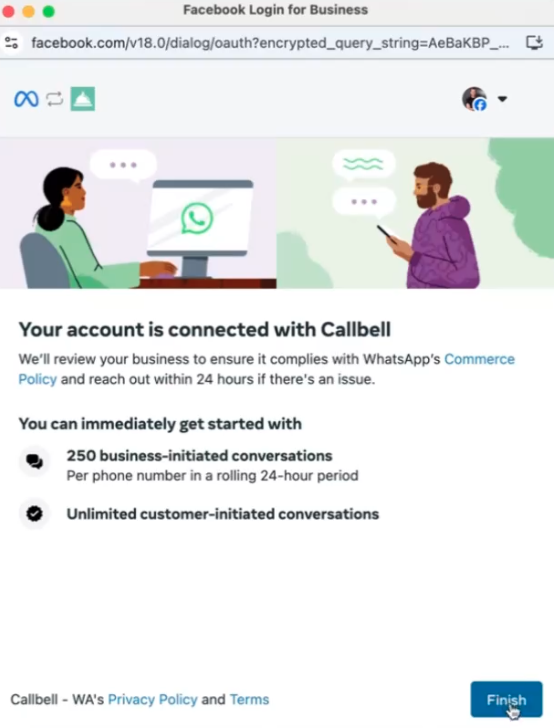
13. Once it's finished, select your time zone and click "Continue" to complete the integration. You should see this image:
14. Go back to Callbell to add a name for the new channel and the connected phone number with the country code, and click "Connect".
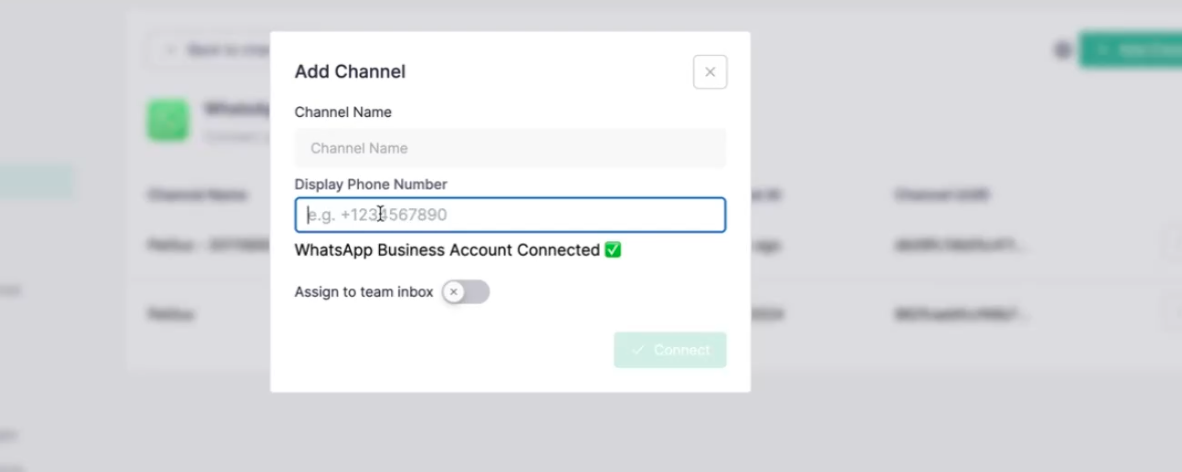
Voilà! Your number is now active on both Callbell and the WhatsApp Business mobile app.
From here, you can monitor the synchronization status of your messages by clicking on the channel name:
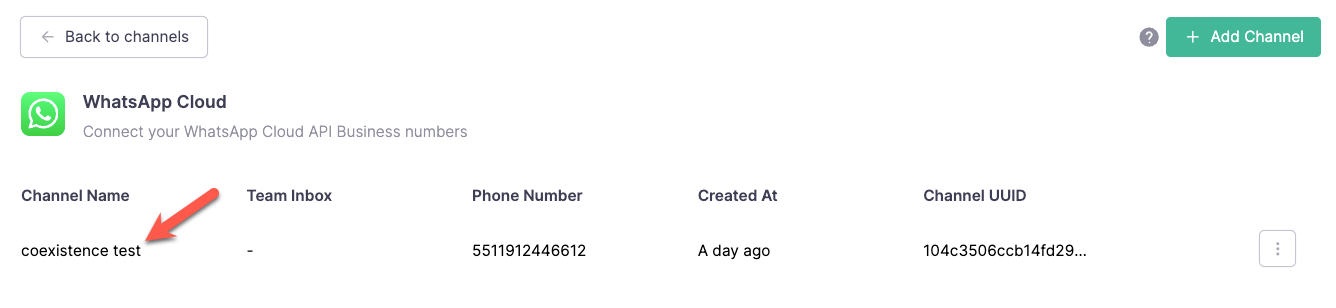
For more information, you can consult our dedicated article on this type of integration by simply clicking here:
https://callbellsupport.zendesk.com/hc/en/articles/21492784735388-WhatsApp-API-Coexistence
In 2025, Callbell can be considered the best ally for customer support on WhatsApp and for monitoring your teams, thanks to its multiple features for communication management, chatbot automation, sales pipeline creation, WhatsApp marketing campaigns, and chat assignment to groups and agents. It is undoubtedly one of the best options on the market in 2025, capable of serving your customers efficiently, quickly, and across multiple communication channels.
Try Callbell now and take your business communication to the next level.
![964aef37cbd523c1a8d2250157bf3829?s=100&d=mm&r=g - Broadcast list on WhatsApp, what is it? [Complete Guide 2023]](https://secure.gravatar.com/avatar/964aef37cbd523c1a8d2250157bf3829?s=100&d=mm&r=g "Broadcast list on WhatsApp, what is it? [Complete Guide 2023]")
About the author: Hello! I am Alan and I am the marketing manager at Callbell, the first communication platform designed to help sales and support teams to collaborate and communicate with customers through direct messaging applications such as WhatsApp, Messenger, Telegram and Instagram Direct