Indice
If your company's sales or support team relies on a single mobile phone or multiple devices to answer WhatsApp messages, the story is always the same: messages pile up, chats are forgotten, customers demand quick responses, and sales go cold due to late replies. To solve this problem and organize your workflow for evident growth, there is the WhatsApp Multi-agent system.
The basic WhatsApp Business app is not designed for multiple agents to respond simultaneously, in an organized way, and without overlapping.
This guide explains what WhatsApp Multi-agent is, how it differs from the traditional multi-device method, how this system works, and which tools allow you to implement it for efficient customer service with multiple agents from a single number
What is WhatsApp Multi-agent?
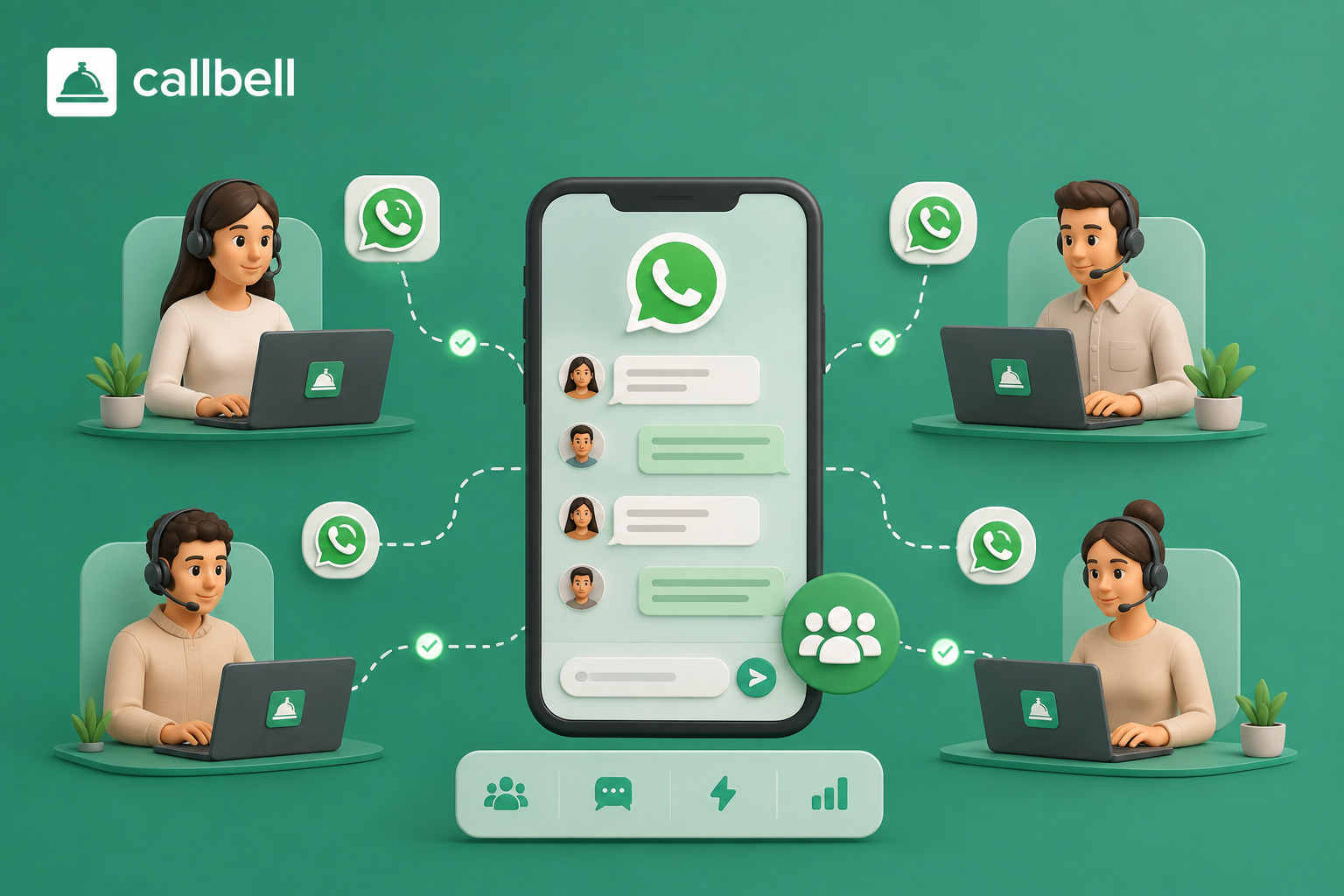
It is a management model that allows multiple company employees (salespeople, support agents, or administrative staff) to respond to messages at the same time from a single business phone line.
Unlike the traditional method where each salesperson has their own phone or individual number, the WhatsApp Multi-agent brings all conversations together in a single shared screen. Incoming messages are automatically assigned to available agents, those with fewer assigned chats, or those specialized in the topic the customer is seeking.
Multi-device vs. Multi-agent: The Common Business Tangle
There is confusion between the multi-device feature that comes free in the WhatsApp mobile app and a professional WhatsApp Multi-agent system. Although the app allows you to link an account to four or five devices, this does not solve the problem for a business looking to grow in the market.
What you need to evaluate | WhatsApp Multi-device (Standard App) | WhatsApp Multi-agent (With Official API) |
Inbox | Messages scattered across different phones or computers without control. | A single shared screen with all chats and unified agents. |
Chat assignment | Manual. There is a risk of double replies or leaving messages forgotten. | Automatic. The system intelligently delivers chats based on availability. |
Customer history | Nonexistent or disorganized when several agents reply at once. | Complete, secure, and visible to the whole team in one place. |
Performance metrics | Impossible to know how fast they respond or if they are selling. | Visual metrics of response speed and sales closures instantly. |
Scalability | Limited to a maximum of 4 or 5 secondary accesses. | Dozens of agents connected at the same time. |
The traditional free mode is only suitable for businesses that are just starting out. However, when the number of chats grows and the business owner needs to measure response speed and sales closures, it becomes essential to move to a professional tool to serve from the same number with multiple agents.
The Financial Impact of Disorganized Management
- Customers who go to the competition: The digital buyer wants answers in seconds. If you take more than five minutes to respond, that person closes the chat and buys from another business.
- Duplicate or contradictory messages: Without organized assignment, two salespeople may reply differently to the same customer or assume their colleague has already handled the chat, leaving the user ignored.
- No control over team performance: Without a reporting panel, you can't know if delays are due to lack of staff or because a salesperson is replying late.
- Poor quality service: Each agent responds as they wish, without a set script, without access to quick replies or the buyer's history, projecting an unprofessional image.
How Does WhatsApp Multi-agent Work in Business?
To serve from the same number with multiple agents without using the conventional app, the system connects to the official infrastructure provided by Meta:
- Registration in the Official WhatsApp API
The corporate number is securely linked in Meta's cloud, removing the need to keep a physical phone on or connected to Wi-Fi.
- Connection with the shared screen
The API transmits incoming messages to a multi-agent platform where each employee logs in with their own user account.
- Organization of areas and permissions
You can configure what each salesperson can see and organize staff by areas (Sales, support, billing, etc).
- Automatic conversation distribution
A system is activated that distributes incoming chats fairly, by order of arrival or according to the area the customer selects in an initial menu.
- Real-time control panel
With updated charts and reports, you can evaluate response speed and sales team performance at all times.
Myths and Truths about Multi-agent Service
1- Myth: "To connect several agents to a single number you need to hire programmers or engineers."
- Truth: Tools like Callbell have a very easy-to-use control panel that connects in minutes, allowing companies to operate simply and without any coding knowledge.
2- Myth: "The customer will get confused if different people reply from the same number."
- Truth: The process is completely transparent for the customer. The platform allows agents to save internal notes so any employee knows the buyer's history and can provide excellent follow-up.
3- Myth: "Connecting multiple salespeople at the same time can get my number blocked by Meta."
- Truth: Blocks only occur if you use unauthorized or pirated programs. A reputable platform like Callbell, which integrates the Official API in the cloud, guarantees zero risk of suspension or blocking of your line.
Steps for Proper Operation of the WhatsApp Multi-agent Platform
- Evaluate team capacity: Define how many salespeople are currently answering chats and project which tasks will be delegated and who will handle certain processes.
- Connect the line to the Official API: Securely register the business number through an authorized provider like Callbell.
- Create employee users: Assign access to each salesperson, define their names and permissions depending on their area of work.
- Configure chat distribution: Automatic message delivery is activated and the team is easily trained to use the shared screen.
- Review charts and adjust schedules: Analyze metrics to discover peak hours for incoming messages and adjust team shifts to always respond instantly.
Conclusion:
Trying to run a business operation using the conventional WhatsApp mobile app or limited linkages creates bottlenecks that slow down sales and compromise service quality. In today's digital environment, response speed and the ability to audit every interaction determine the success of a commercial strategy.
The Callbell platform positions itself as the ideal omnichannel management solution for organizations looking to professionalize their messaging service. By connecting the Official WhatsApp API with a shared and intuitive inbox, it is possible to unify WhatsApp, Instagram, Facebook Messenger, and Telegram in one place.
With advanced tools for automatic chat assignment, internal collaboration notes, integration of rating bots, and real-time performance analytics, Callbell transforms a traditional line into a scalable sales engine with total control.

About the author: Hello! I am Alan and I am the marketing manager at Callbell, the first communication platform designed to help sales and support teams to collaborate and communicate with customers through direct messaging applications such as WhatsApp, Messenger, Telegram and Instagram Direct